InfoRapid KnowledgeBase Builder
3D Mind Maps · Concept Maps · Knowledge Management · Integrated Learning
Pay once and own the software permanently. No monthly fees, no subscription trap, no price increases after purchase.
All data is stored exclusively in a local SQLite database file on your own device. No account required, no cloud dependency, full control over your data.
Short Description
The InfoRapid KnowledgeBase Builder is much more than a classic drawing program for mind maps. It is a powerful, database-driven knowledge management system. The core motto during development was: "Let's Leave Flatland" – texts and notes don't have to remain two-dimensional; they can be visualized, networked, and iteratively enriched in a dynamic 3D space.
Traditional mind mapping programs are strictly hierarchical – like a tree with a fixed trunk and branching arms. New ideas that develop during your work are often difficult to focus on in such rigid systems. The KnowledgeBase Builder breaks this limitation: every idea can be linked to any other, creating true, multidimensional knowledge networks (concept maps). Clicking on any element instantly moves it to the center of the diagram, enabling seamless, interactive navigation through your own knowledge.
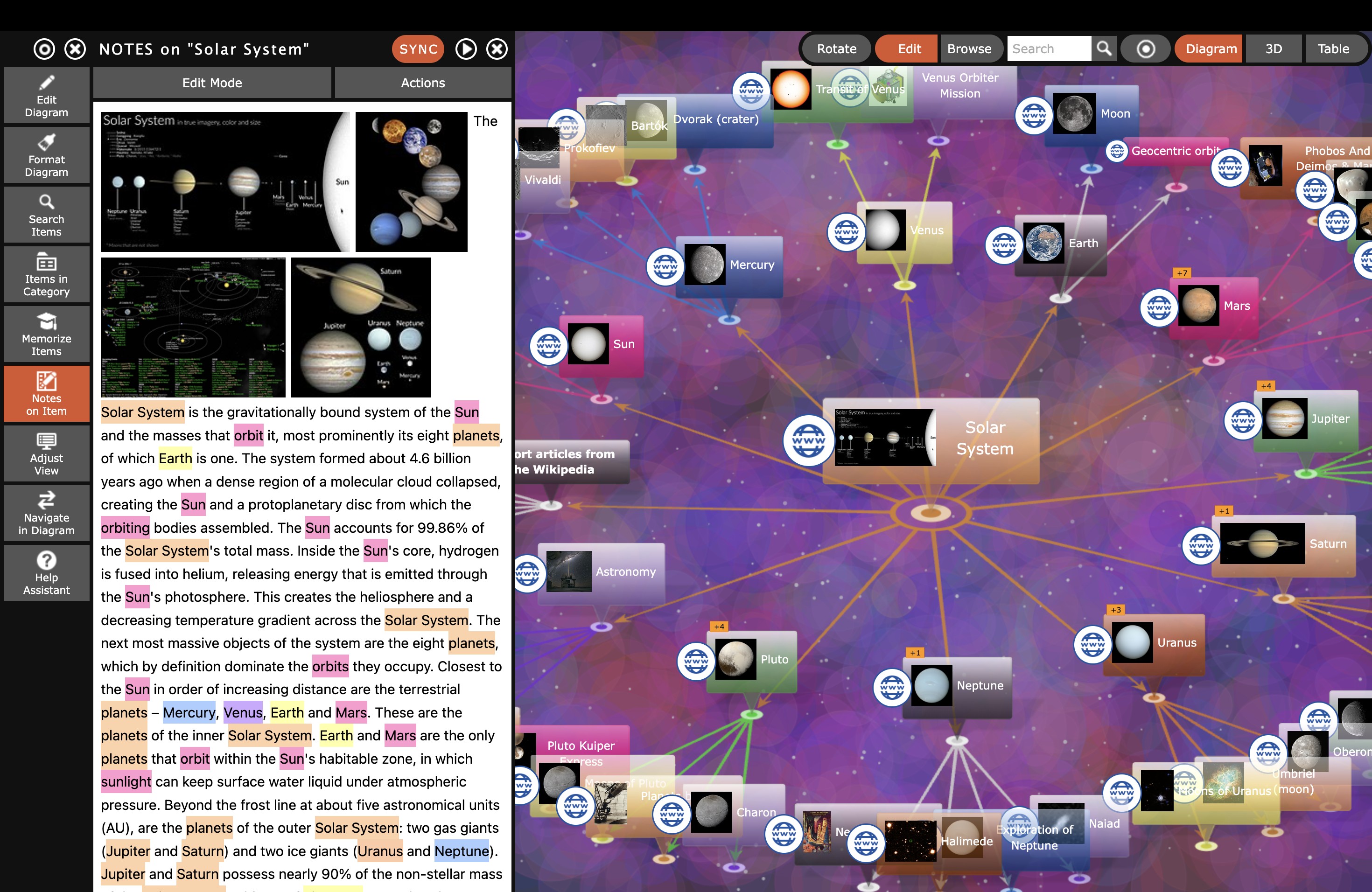
Unlike simple drawing apps that become cluttered with just a few dozen nodes, this system can manage millions of items in a single local SQLite database. Similar to Google Earth, the user always navigates through a visible section of their data. The heart of the app is an intelligent, dynamic auto-layout that recalculates the node arrangement in real time, ensuring even the most complex networks always remain clear and perfectly structured.
Spectacular 3D Mind Maps
Leave the classic 2D plane behind and experience your knowledge networks in a fully three-dimensional space. The 3D view lets you freely rotate, zoom, and explore enormous networks from any angle. With the auto-rotate feature, your knowledge base spins automatically and can be exported as an animated video – ideal for presentations.
Navigation is intuitive: rotate (drag left mouse button), zoom (scroll wheel), and pan (drag right mouse button). On mobile devices, standard touch gestures apply. The 3D diagram can also be exported as an interactive 3D model in GLB format and embedded directly in a website.
Smart Automations
The KnowledgeBase Builder relieves users of tedious manual work:
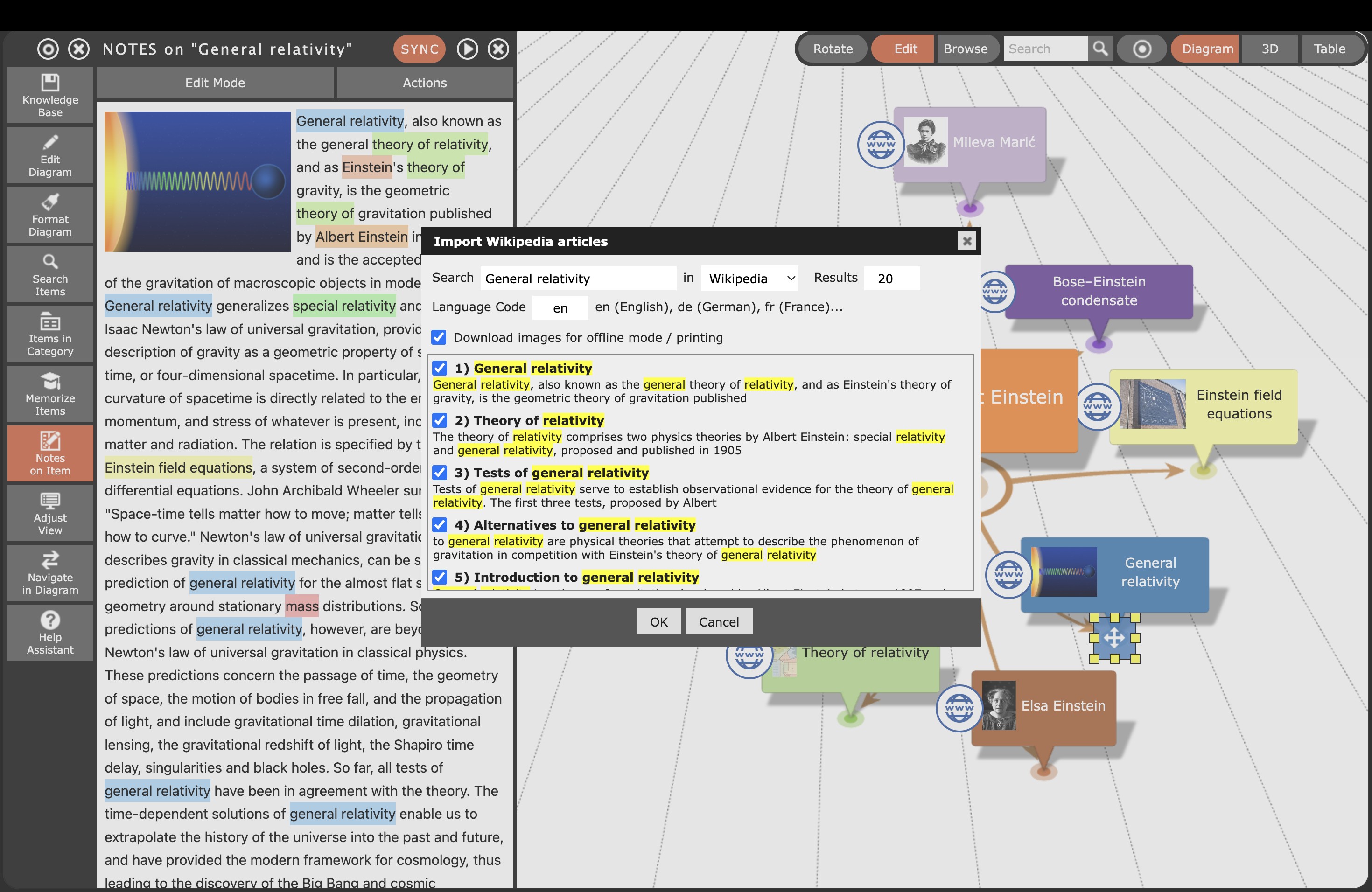
- Wikipedia Import: Download complete Wikipedia articles including images directly into your mind map with a single click.
- Text Analysis: The program scans long text documents for key terms and automatically generates a networked mind map from them.
- Paste Outline: Texts with indented hierarchies or HTML lists are instantly read in as a finished hierarchy map.
- CSV & JSON Import: Structured data from Excel or other programs is visualized as a diagram in seconds. Particularly useful: JSON data generated by an AI tool (e.g. ChatGPT) from any text can be imported directly.
Integrated Learning (Memorize Function)
A unique selling point of the KnowledgeBase Builder is the Memorize function. The app automatically converts created diagrams into flashcards and multiple-choice tests: item names serve as questions and descriptions as answers. This lets you memorize captured knowledge directly and efficiently – without needing a separate learning app.
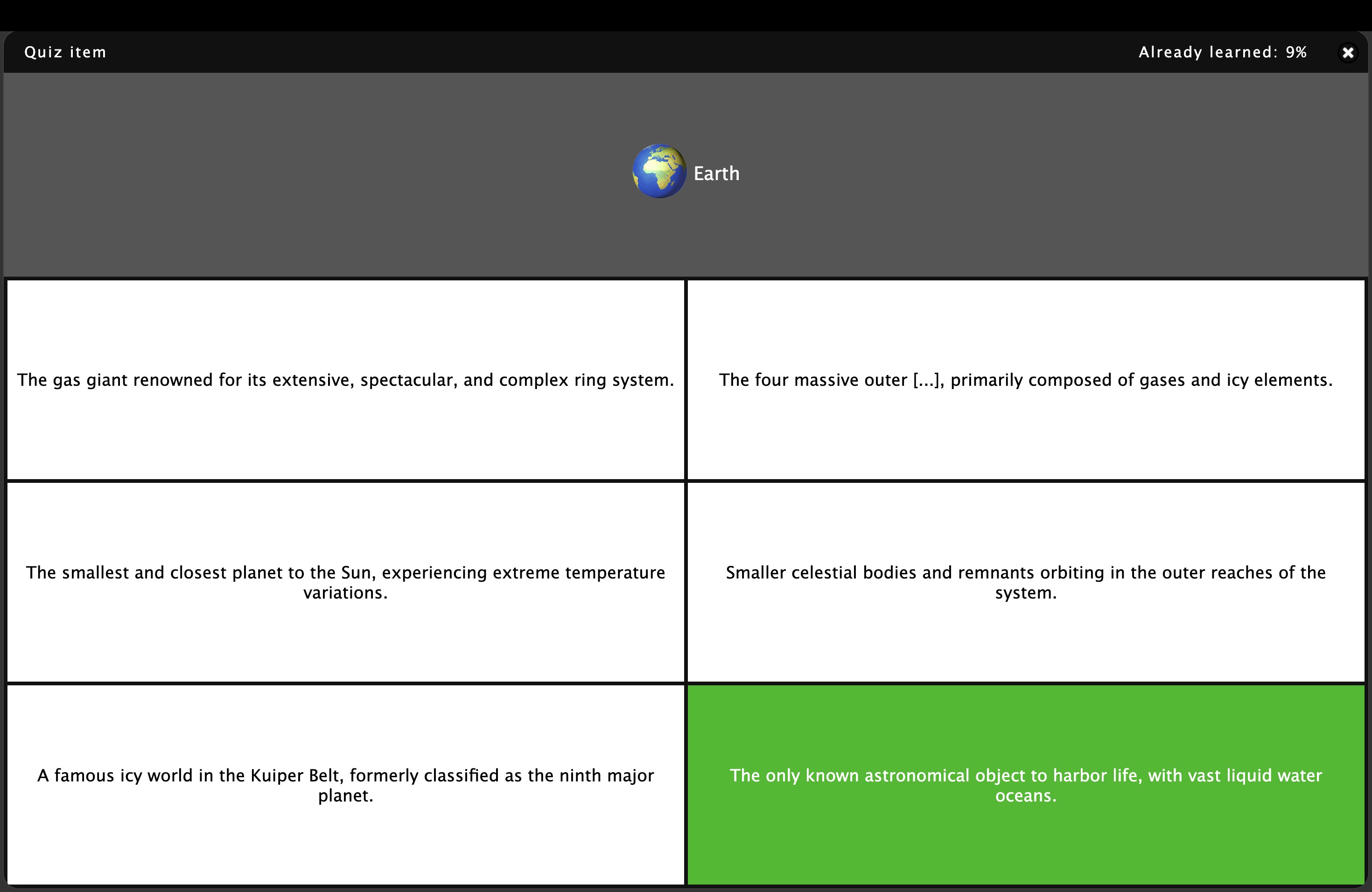
Whether for exam preparation, vocabulary, technical terminology, or complex subject matter – the Memorize function turns the KnowledgeBase Builder into a complete learning tool that combines knowledge capture and memorization in a single app.
Flowcharts from Pseudocode
For developers, engineers, and process planners, the KnowledgeBase Builder offers a unique feature: complex flowcharts and decision trees are generated fully automatically from written pseudocode. Describe a process in a structured text form – the program immediately draws a professional flowchart from it.
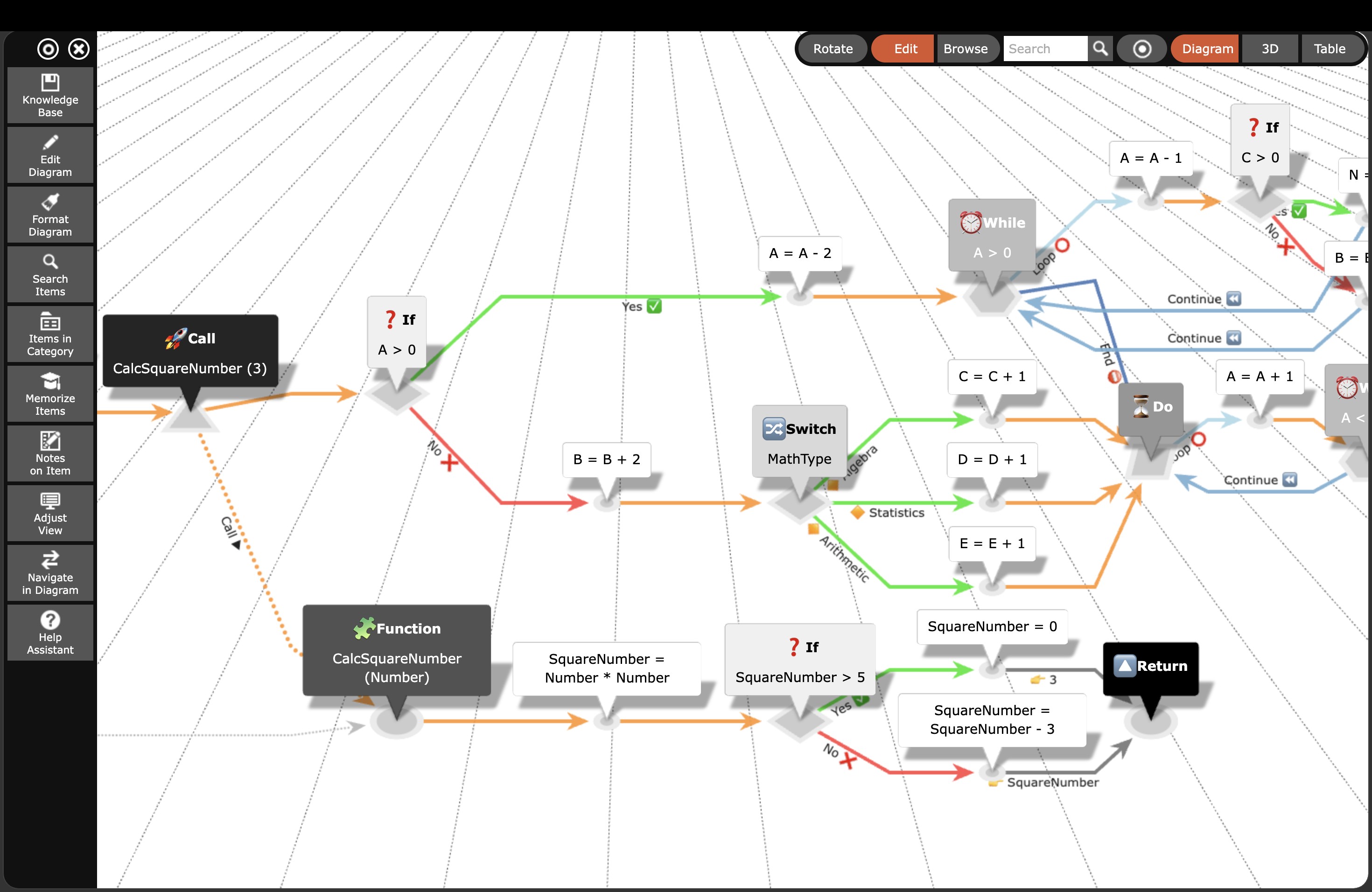
Table View & Navigation in Large Databases
For very large knowledge databases, the table view provides a structured overview of all items. Entries can be re-ordered via drag-and-drop and filtered quickly. Full-text search lets you navigate any element instantly to the center of the view – like jumping to a location on an interactive map.
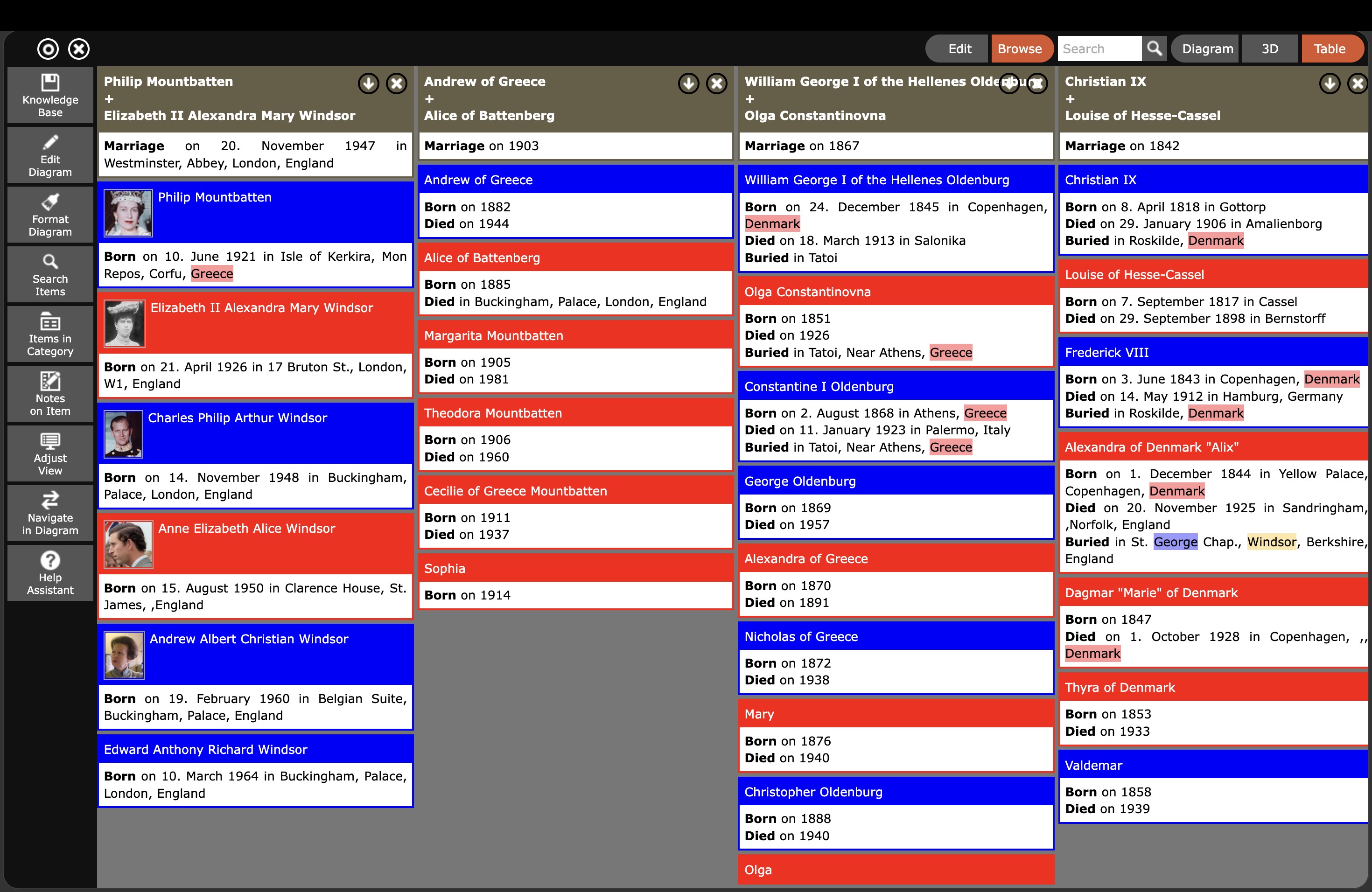
All data is stored safely and offline in a local SQLite database file (extension .kdb). To work across multiple devices, simply place the file in a cloud folder (OneDrive, Google Drive, iCloud) and reload it manually on the other device.
Versions & Pricing
No subscription, no hidden costs – the KnowledgeBase Builder is a fair one-time purchase.
Lite Version
- One database file
- Millions of items possible
- Full feature set for testing
Full App Version
- Windows (Microsoft Store)
- macOS (Mac App Store)
- iOS / iPadOS (App Store)
- Android (Google Play)
- Unlimited number of databases
- Windows: 5-day free trial
Professional Edition
- Multi-user capable (teams)
- Multiple simultaneous users
- Online diagrams up to 400 days
Platforms & File Format
The KnowledgeBase Builder is available on all major operating systems. All versions use the same SQLite database format (.kdb), meaning your data is 100% compatible across platforms.
| Platform | Where to get it | Price |
|---|---|---|
| Windows 8/10/11 | Microsoft Store | approx. € 10 (5-day free trial) |
| macOS 10.12+ | Apple Mac App Store | approx. € 10 |
| iOS / iPadOS (11.4+) | Apple App Store | approx. € 10 |
| Android | Google Play / Amazon Appstore | Lite: free · Full version: approx. € 10 |
| Web (all platforms, incl. Linux) | inforapid.org | Free |
| Windows (Professional) | Direct purchase from developer | € 99 (multi-user, teams) |
Knowledge Management at a New Level
The InfoRapid KnowledgeBase Builder combines the best of three worlds: the visual power of mind maps, the scalability of modern databases, and the learning efficiency of flashcards – all in a single app.
Whether you are mapping highly complex medical networks, studying for exams, designing family trees, planning novel characters, or documenting business processes – the KnowledgeBase Builder scales with your needs. Thanks to its database-driven SQLite approach, knowledge bases with millions of entries remain smoothly navigable.
The intelligent auto-layout ensures your diagrams stay clear no matter how large they grow. And if you want to keep your data in your own hands, the "Offline-First" principle delivers: all data lives securely on your own device – no subscription, no cloud dependency, no hidden costs.
Ingo Straub: "With the KnowledgeBase Builder we wanted to create a tool that truly grows with the user – from the first idea to a huge, interconnected knowledge database. At the same time the program should always remain intuitive to use, whether on a smartphone or a desktop PC."